Posts

Unexpected template string expression no-template-curly-in-string in react

Image
refference :  https://eslint.org/docs/rules/no-template-curly-in-string Issue: Unexpected template string expression  no-template-curly-in-string Reason : having (' ') or (" ") fix : instead (' ') use (` `)

Access to XMLHttpRequest at 'http://localhost:8081/api/v1/employees' from origin 'http://localhost:3000' has been blocked by CORS policy: No 'Access-Control-Allow-Origin' header is present on the requested resource.

Image
  Fix : Add the add cross controller to springboot controller class Ex : @CrossOrigin (origins = "http://localhost:3000/" )

Error creating bean with name 'entityManagerFactory' defined in class path resource [org/springframework/boot/autoconfigure/orm/jpa/HibernateJpaConfiguration.class]:

Image
 Error: org.springframework.beans.factory.BeanCreationException : Error creating bean with name 'entityManagerFactory' defined in class path resource [org/springframework/boot/autoconfigure/orm/jpa/HibernateJpaConfiguration.class]: Invocation of init method failed; nested exception is org.hibernate.service.spi.ServiceException : Unable to create requested service [org.hibernate.engine.jdbc.env.spi.JdbcEnvironment] org.hibernate.boot.registry.selector.spi.StrategySelectionException : Unable to resolve name [org.hibernate.dialect.MYSQL5InnoDBDialect] as strategy [org.hibernate.dialect.Dialect] in my case, it was caused by this  spring.jpa.properties.hibernate.dialect = org.hibernate.dialect.MYSQL5InnoDBDialect instead of that you may use spring.jpa.properties.hibernate.dialect = org.hibernate.dialect.MySQL5Dialect The difference between MYSQL5InnoDBDialect and MYSQL5Dialect can be found by referring to this link : https://stackoverflow.com/questions/4368195/hibernate-w...

Error processing condition on org.springframework.boot.autoconfigure.orm.jpa.JpaBaseConfiguration.jpaVendorAdapter

Caused by nonmatching spring boot dependencies. when you get an error please check what is the required version. that will be displayed in the console.

$ git push orgin master fatal: 'orgin' does not appear to be a git repository fatal: Could not read from remote repository.

Image
GitHub tutorial I followed to upload my project:https://youtu.be/2vASHVT0qKc  tutorial I used to fix the above issue : https://youtu.be/H3KjgiBaakM when putting  git remote add origin YOUR URL some times it shows this error if you get it try checking with this command git remote --verbose this means you have already cloned a github project and now you gonna add it as an origin. so the fix is, instead of using  git remote add origin  YOUR URL , use below one git remote  set-url  origin  YOUR URL

"status": 404, "error": "not found", "message": "no message available", "path": "/api/employee"

Image
  first, make sure the YourController.java file that has the @Controller and the YourSpringBootFile.java file that has the @SpringBootApplication are in the same package. If you want your controller to be in a different package outside of YourSpringBootFile.java's package, then follow these instructions =  Spring: Run multiple "SpringApplication.Run()" in application main method There are 2 methods to overcome this Place the bootup application at the start of the package structure and rest all controllers inside it. Example : package com.spring.boot.app; - You bootup application(i.e. Main Method -SpringApplication.run(App.class, args);) You Rest Controller in with the same package structure Example: package com.spring.boot.app.rest; Explicitly define the Controller in the Bootup package. Method 1 is more cleaner. referred to:  https://stackoverflow.com/questions/31318107/spring-boot-cannot-access-rest-controller-on-localhost-404 https://stackoverflow.com/questions/3413520...

There was an unexpected error (type=Not Found, status=404). No message available in Springboot

Image
 in my scenario, it was because I missed one of the dependencies. I referred to this :  https://stackoverflow.com/questions/36819277/issue-with-spring-there-was-an-unexpected-error-type-not-found-status-404 and got fixes it by adding the bellow code piece in pom.xml.           <dependency>         <groupId>org.apache.tomcat.embed</groupId>         <artifactId>tomcat-embed-jasper</artifactId>         <scope>provided</scope>     </dependency>     <dependency> <groupId>org.springframework.boot</groupId> <artifactId>spring-boot-starter-thymeleaf</artifactId> </dependency>

YoloV3 custom modal creation for one label/class in Google colab (608 x 608 Create 64 permenent cpu-threads issue)

Make sure you have typed all the commands correctly. In my case, I was given the path incorrect which creates the test.txt file. And also had an issue with the dataset labels. # Check if NVIDIA GPU is enabled ! nvidia-smi from  google.colab  import  drive drive.mount( '/content/gdrive' ) ! ln -s /content/gdrive/My\ Drive/ /mydrive ! ls /mydrive # Clone ! git clone https://github.com/AlexeyAB/darknet # Configure %cd  darknet ! sed -i  's/OPENCV=0/OPENCV=1/'  Makefile ! sed -i  's/GPU=0/GPU=1/'  Makefile ! sed -i  's/CUDNN=0/CUDNN=1/'  Makefile # Compile ! make # Make a copy of yolov3.cfg ! cp cfg/yolov3.cfg cfg/yolov3_training.cfg # Change lines in yolov3.cfg file ! sed -i  's/batch=1/batch=64/'  cfg/yolov3_training.cfg ! sed -i  's/subdivisions=1/subdivisions=1...

module not found error: no module named 'mysql'

Image
put the jar file in the project's library folder.

NotImplementedError: Cannot convert a symbolic Tensor (2nd_target:0) to a numpy array

NotImplementedError: Cannot convert a symbolic Tensor (2nd_target:0) to a numpy array  I got this error when I was having NumPy version - 1.20 and I downgraded it into NumPy version -1.19 (Tensorflow version - 2.3 and python version - 3.8)

My Experience with CloudKasthiram 2020

Image
First, what is Cloud Kasthiram? I never knew what the CloudKasthiram is when I was registering for the challenge. So I think there might be students like me and this is the best time I can share what I know about this CloudKasthiram . Basically, CloudKasthiram is a challenge which is based on the Google Cloud Platform organized by GDG Sri Lanka. The challenge was to complete only 6 labs of 11 labs which were provided by the CloudKasthiram team within the given time period. After completing a lab they are providing a badge and that is the certification of completion. So that means to complete the challenge, six badges must be collected. Other than that, if anyone wants to get all the badges they can also complete all the quests. From where did I get to know about CloudKasthiram and how did I register for the challenge? I got to know about CloudKasthiram from the GDG Sri Lanka Facebook page. Then I registered myself for the challenge using the provided google form and received thei...

configure maria db to create crystal report (to get values from phpmyadmin to make crystal reports)

Image
'MUST' download version 2 of maria db connector (if it is 32 bit it will be helpful even your laptop supports 64bit) from https://mariadb.com/downloads/?showall=1&tab=connectors&group=mariadbconnectors&product=ODBC%20connector#connectors go to control pannel > Administrative tools >ODBC Data Sources (32-bit) then  go to System DSN add new select mariodb  odbc 2.0 driver  give a custom name like test or what ever you want add your server name add the user name and password of PHPMyAdmin login then select your database next, all the rest of the interfaces then finish now go to the visual studio create a crystal report then go to field explorer select database explorer right-click and select the database expert then create new connection select OLE DB (ADO) now add Microsoft OLE DB ODBC provider for ODBC driver now select the name of your created System DNS name (ex: test) give your User name and password of PHPMyAdmin login then finish keep in mind to down...

Setup Apache Tomcat Server on eclipse

Image
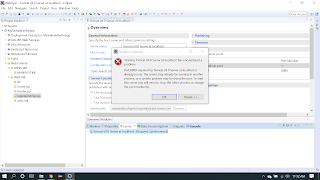
For specific project Create a new web project:  File > Dynamic Web project > Cerate new one Setup server: Go to Window > Preference > Server > Runtime Environment > Add  Then Select Apache Tomcat Server > Next > Add the source directory of pre-installed Apache Tomcat (not the bin folder) Comment : when starting server if it shows an error saying Starting Tomcat v9.0 Server at localhost has encountered a problem, like bellow 1) Double click on the server tab 2) Change the port numbers which you haven't used for other running servers 3)Start again

Express JS(Part 02)

Image
Express JS   ( Part 02) What I s   Express JS  ? Express JS  is a web application framework. It provides a simple API to build websites  ,  web apps and back  ends . This provides the minimal interfaces to build the applications . It is flexible with the numerous modules available on  npm . Express JS  was developed by  TJ Holowaychuk  and is maintained by the Node . js . How To Setup And Configure? As the very first step, we need to install the express-generator module on the system.  it is very simple. Type  npm install -g express-generator on command prompt and press enter to install. As the next step create new express project using newly installed express generator . For example, now you can try printing hello world in your project. Try An Example To Print "Hello World" In this image the first line has imported the express to our file . So that we have access ...

REST Services And Express JS

Image
REST Services And ExpressJS ( Part 01) What is  the REST Services? Simply it is the abbreviation of the  RE presentational S tate T ransfer P rotocol. This is the architectural style for distributed hypermedia systems. REST also has its own guiding constraints which must be satisfied if an interface needs to be referred as RESTful like other architectural styles. As guiding principles of REST, there are 6 principles. Those are   Client-server ,  Stateless,  Cacheable,  Uniform interface,  Layered system,  Code on demand (optional) Client-Server   :   Separates the user interface and services Uses URI to make the connection between the client and the user HTTP stack is the communication platform Client is portable S erver stands independent from different user interfaces. Stateless   :   Self-containing messages, no client state on the server For the pa...

React JS(Part 02)

Image
React JS (Part 02) In the previous blog, we were talk about the basic parts of React JS.In this blog post, I am planning to explain some advance concepts in the React JS. Components of Life Cycle In the previous blog post, I have discussed what does the meaning of the components in React JS. Here I am explaining to you what is the component life cycle in React JS. Basically, each and every component of React has to go through the life cycle of its own birth, growth, and death. So that, in R eact  these 3 stages are called using three different names. Those are, Mounting   -  Birth Update   - Growth Unmount   - Death Constructor This is the method that calls before anything else. This is the natural place to set up the initial state and the other initial values when the component is created. This method is called with the props as arguments. That means this constructor ( ) method helps to bind...